Introduction
Week two focused on creating our component inventory and testing whether each component works as expected. This is usually the easy part, but the current challenges—particularly integrating CodeMirror 6 and WebView with React Native—are proving otherwise.
App Foundation
Below are some notable achievements so far in establishing a sense of direction for the app. Design aesthetics are not a priority at this stage, since they’re essentially the icing on the cake but early accessibility compliance is a must.
Navigation
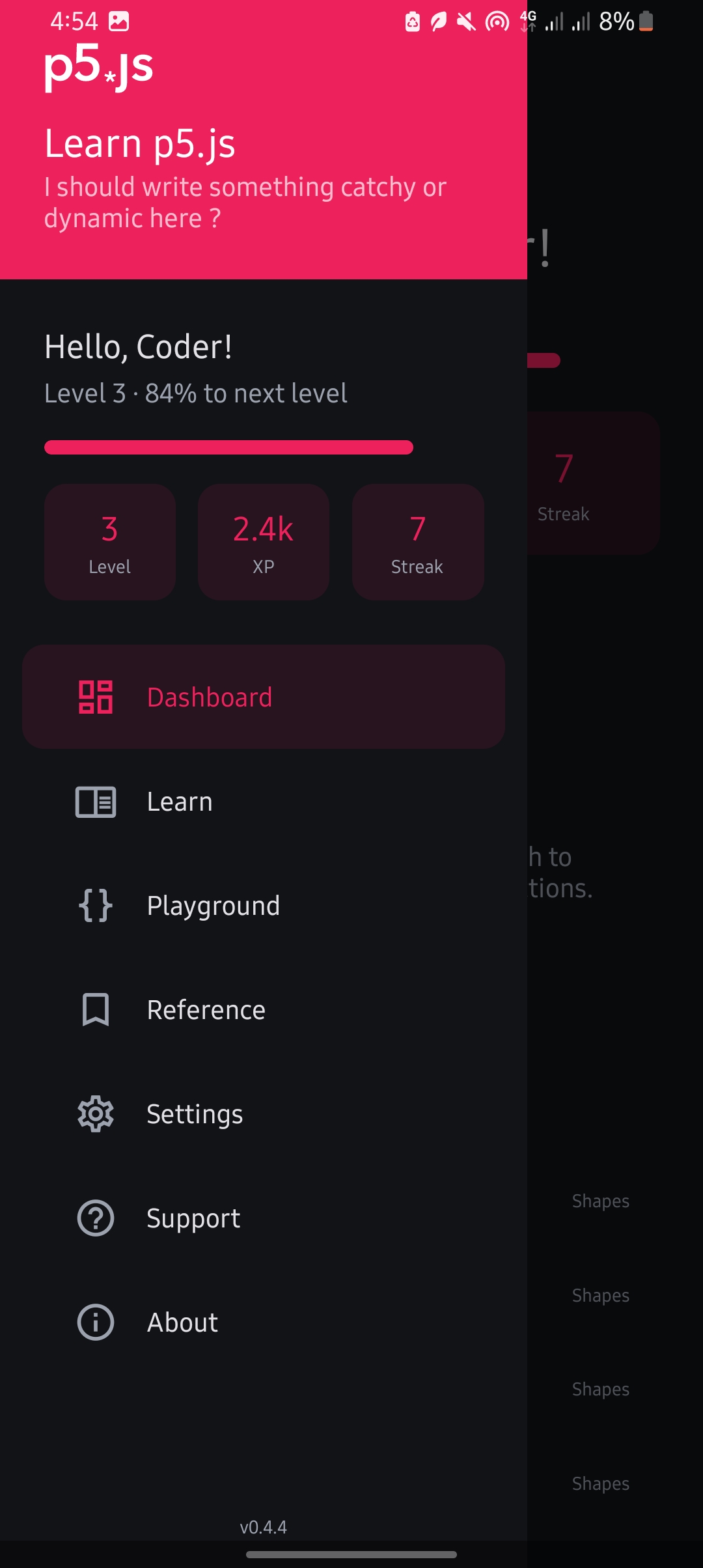
The natural choice for navigation was a side drawer, for two reasons:
- It is hidden by default.
- It doesn’t interfere with the app’s layout when, for example, the user is in the ExerciseView.
To make the drawer more accessible (since it relies on a swipe gesture from the left to reveal it), we added a floating action button (FAB) on the left that opens it. This reduces the chance of accidentally triggering the “Go back” gesture when the user intends to open the drawer.
Dashboard
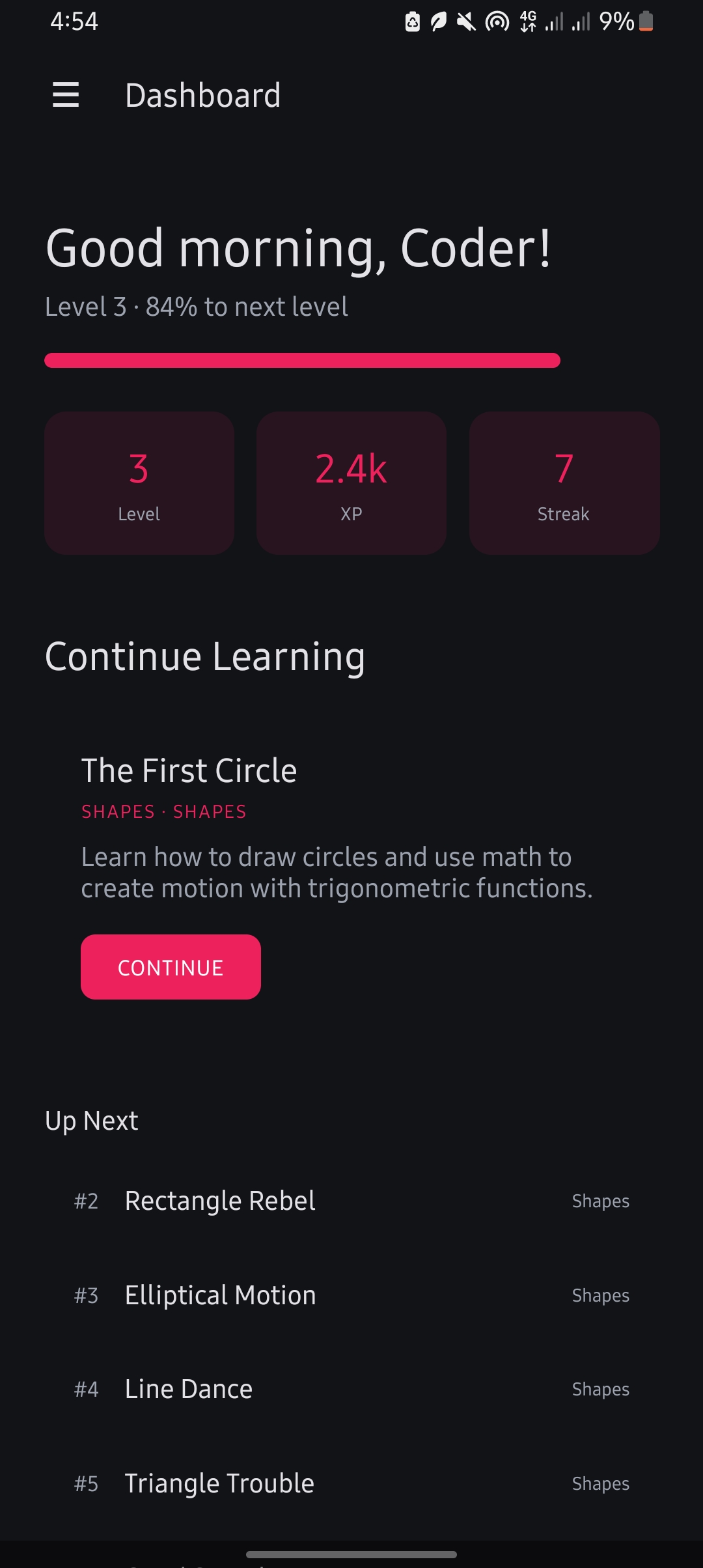
What makes a dashboard? In general, it provides users with a quick recap of the app’s state, allowing them to pick up where they left off in as few taps as possible.
Other dashboard features include:
- Time and username aware greetings.
- A snapshot of user progress.
- Upcoming events or relevant information.
In the next iteration,we'll add user state and start to consider ways of logging in users optionally if they want to sync their state across devices.
Settings
What kind of app would it be if users couldn’t change their preferences?
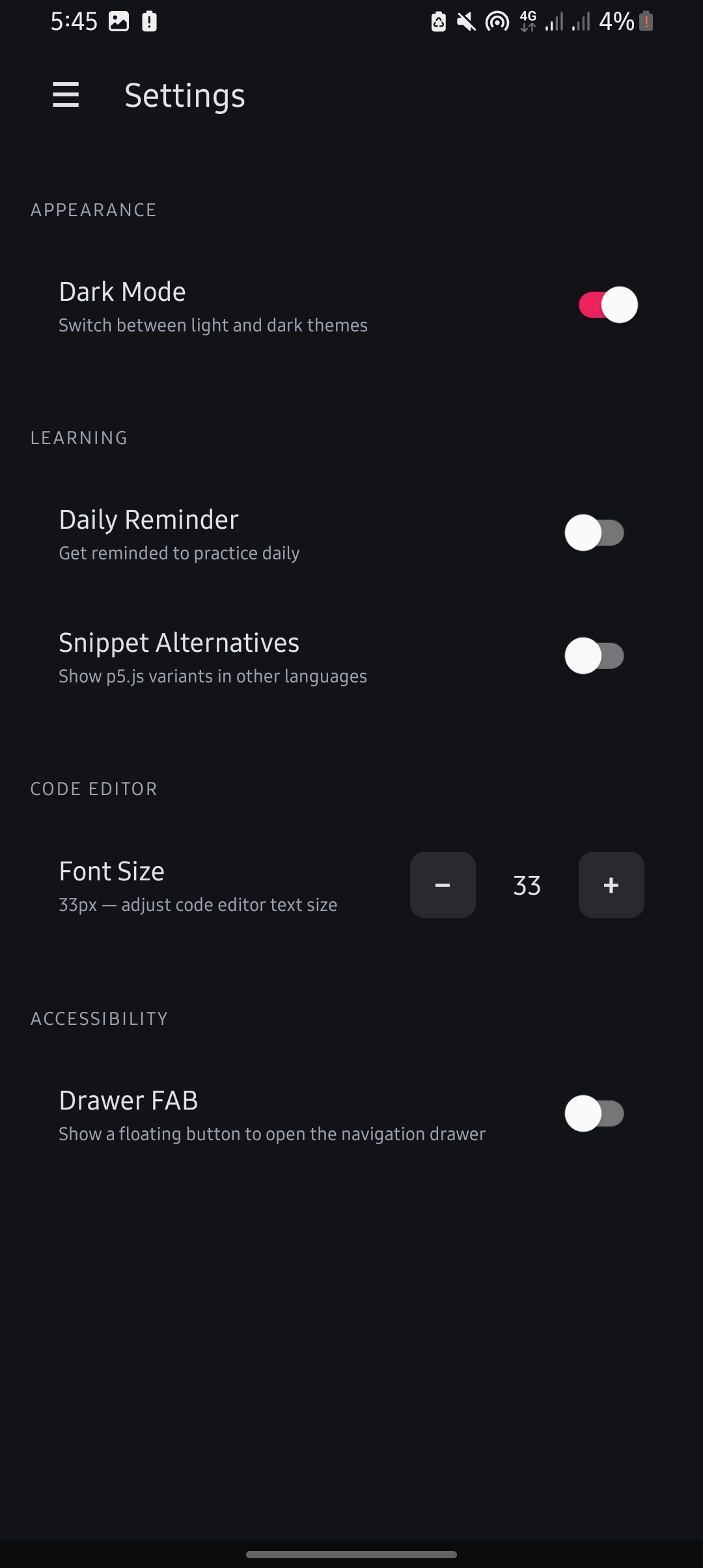
Currently, the app includes a few basic settings that will be expanded later:
- Daily reminders.
- Adjustable font size for code blocks.
- Show/hide the drawer FAB.
- Show alternative snippets (stub setting, to be implemented later).
Current Frustrations
The ExerciseView is largely unusable at the moment due to several issues:
- The system keyboard interferes with the layout.
- Preview panes sometimes fail to sync changes when pressing the “Run” FAB.
- Code being edited is clipped out of view when using the custom in‑app keyboard.
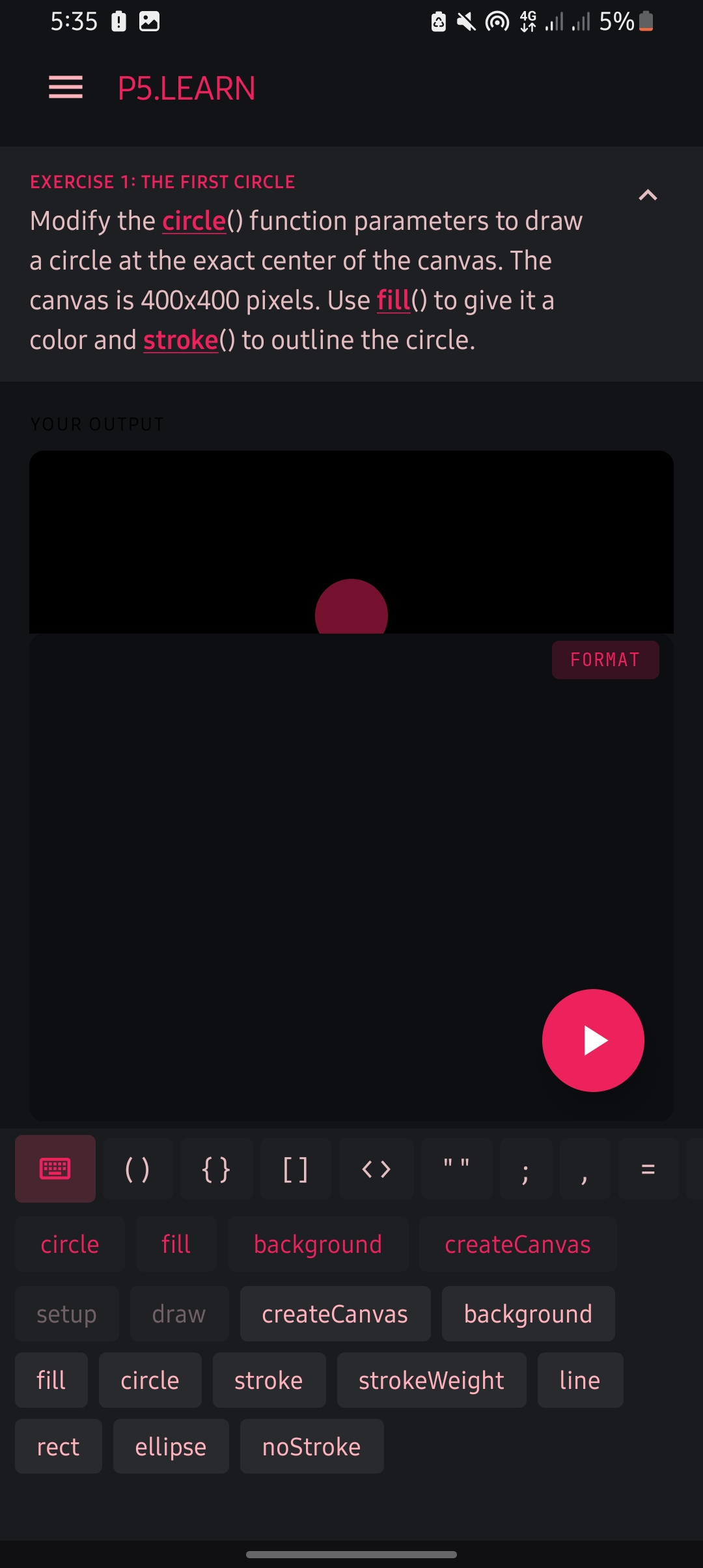
On top of this, implementing the view requires WebView to cooperate with React Native so that user input is handled properly. Since WebView in RN has limited input handling support, it’s currently used mostly for loading previews. The goal is to keep most logic on the RN side without resorting to excessive hacks.
What’s Next
Getting the ExerciseView working properly is my main focus before curating the demo course. Once that’s in place, we can test with real content (instead of lorem ipsum) and evaluate the user flow.
You can grab a debug build here to see how the app currently feels. Feedback is welcome—it isn’t perfect, but perfection comes through iteration.